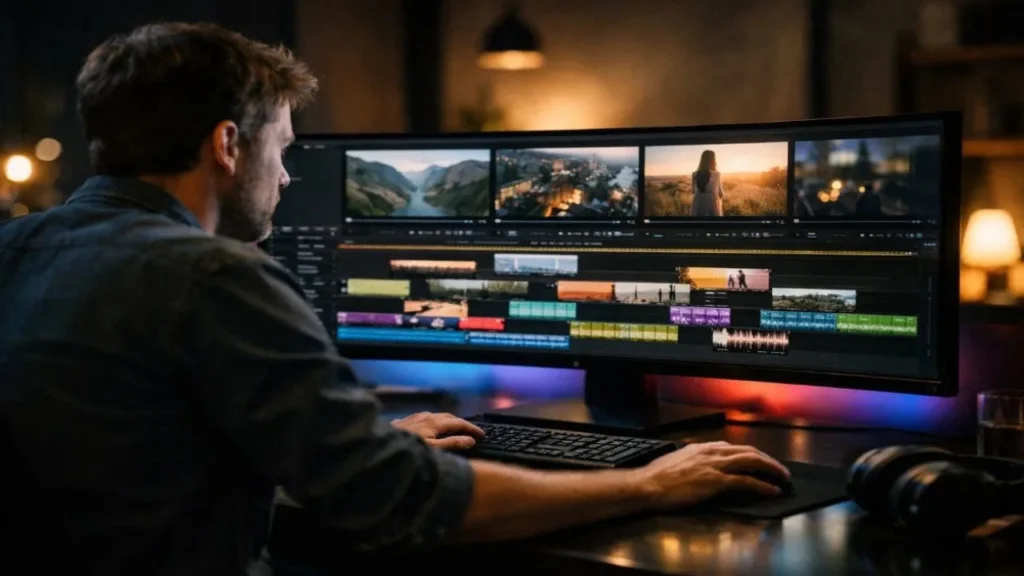
Text-to-video tools have made creating videos easier than ever. You write a script, click generate, and within minutes, your video is ready. No camera. No complicated editing. It feels almost magical.
But after trying different AI text-to-video tools myself, I noticed something important. While they save time, the final result is not always perfect. Speed is great, but sometimes quality suffers.
Many beginners face common text-to-video mistakes like wrong visuals, strange pacing, awkward transitions, or weak audio. When this happens, the video feels robotic instead of natural. And honestly, that can be frustrating.
The good news is, these problems are not hard to fix. With a few small changes and careful editing, you can turn an average AI-generated video into something that looks clean, smooth, and professional.
In this guide, I’ll share the most common mistakes I’ve seen while testing these tools and show you, step by step, how to fix them in a simple way.
Why Text-to-Video Tools Sometimes Get it Wrong
From my experience testing different AI video generators, most errors happen because AI matches keywords, not context.
For example, when I used a script containing the phrase “breaking growth barriers,” one tool generated a literal wall-breaking clip. Technically correct. Contextually wrong.
AI sees words. Humans understand meaning.
That gap is where most problems start.
Understanding this helps you fix issues faster.
1. Mismatched Visuals
Why It Happens
In my testing, mismatched visuals were the most common issue.
It usually happens when:
- Scripts use abstract words like growth, success, or innovation
- The AI selects clips based on single keywords
- The sentence doesn’t clearly describe what should appear visually
When visuals don’t align with the spoken message, viewers lose trust quickly.
How I Fix It
1. Write Visually Clear Scripts
After running more than 20 test videos, I noticed that clearer scripts automatically reduce visual errors.
Instead of:
“Our business improved.”
I now write:
“Our website traffic increased by 40% in 90 days.”
Specific wording improves visual accuracy.
2. Replace 30–40% of Auto Clips
In almost every AI-generated video I review, I manually replace at least one third of the visuals.
That small step alone makes the video look human edited instead of auto-generated.
3. Keep Tone Consistent
If your script sounds professional, your visuals must look professional.
Inconsistent tone makes videos feel unplanned. Consistency builds credibility.
2. Poor Pacing
After analyzing multiple generated projects, I found that pacing problems often come from scripts written in short, broken sentences.
AI tools turn each sentence into a new scene. That creates a jumpy rhythm.
Signs of Bad Pacing
- Scenes change every 1–2 seconds
- Voiceover ends, but visuals continue
- Slides stay too long without movement
These are clear signs that the timing needs manual adjustment.
How I Fix Pacing
1. Adjust Scene Duration
For most educational videos, I keep scenes between 4 and 8 seconds.
Important ideas stay slightly longer. Minor points move faster.
Balanced pacing keeps retention higher.
2. Combine Short Lines
Instead of writing fragmented sentences, I rewrite scripts into smoother paragraphs.
Better script flow = smoother video rhythm.
3. Edit With Natural Speech
I listen carefully to the voiceover and align visual cuts with natural emphasis.
When visuals match speech rhythm, the video feels natural.
3. Awkward Transitions
Many beginners think adding lots of transitions will make their video look more professional. But too many zooms, slides, and flashy effects actually make it feel messy and distracting. Simple cuts and soft fades look cleaner, smoother, and more professional because the focus stays on your message, not the effects.
How I Fix Transitions
- Use straight cuts
- Use light fades
- Avoid dramatic zoom effects
- Keep transition style consistent
Professional videos rarely use flashy transitions.
Subtlety wins.
4. Weak Audio Quality
From all the AI projects I’ve reviewed, poor audio ruins videos faster than weak visuals.
Even a decent video fails if:
- Background music is too loud
- Voice volume is inconsistent
- Noise is present
Clean audio dramatically improves perceived quality.
5. Overused Stock Footage
AI tools rely heavily on stock libraries. That’s why many videos look similar.
When I want a video to stand out, I:
- Replace default clips
- Add real screenshots
- Include screen recordings
- Use product demos
Original visuals instantly increase credibility.
Best Tools to Minimize Text-to-Video Errors
From practical testing, the best text-to-video tools are the ones that allow:
- Manual clip replacement
- Scene timing control
- Subtitle editing
- Custom transition adjustments
The more control you have, the fewer common text-to-video mistakes you’ll see in the final output.
Final Thoughts
After using many AI video tools, I learned one simple thing:
AI can create the video. But only humans can make it better.
Text-to-video tools save time, but real quality still needs your attention. A few minutes of editing can completely change how your video looks and feels.
Most common text-to-video mistakes can be fixed in just 10 to 20 minutes. That small effort can improve watch time, engagement, and overall quality.
So don’t publish the first version right away. Watch it once. Fix small issues. Make it smoother.
Small changes may seem minor, but they make a big difference.
And that difference helps you build real trust with your audience.

Submit Your Tool
#1 Best and Most Affordable AI Tools DirectoryDevelopers and advertisers can share their AI tools on Openopediaai AI to reach a bigger audience. By listing your tool with us, you’ll get more visibility and help more people discover your product. You’ll also support the growth of the AI industry by making powerful tools easier for everyone to find and use!