Verified
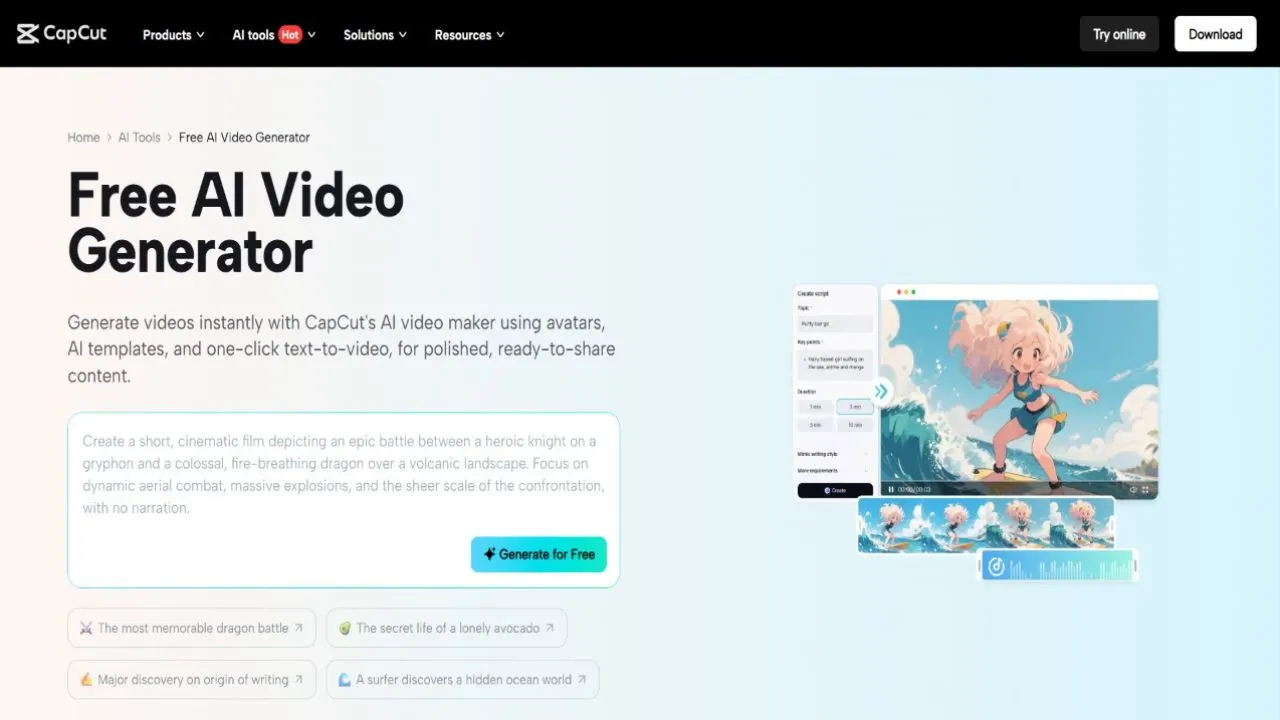
- Overview: Free AI-powered video maker that turns text into professional videos with avatars and templates.
- Categories: Video Editing
- Pricing Model: Freemium
Key Features:
- Instant Text to Video: Just type your idea in a few words. CapCut AI turns it into a full video with scenes, visuals, and effects ready to post in minutes.
- Realistic AI Avatars: Don’t want to be on camera? Pick from 100+ natural looking AI presenters. They speak your script clearly and confidently for you.
- Smart Auto Captions: CapCut AI listens to your video and adds clean, accurate subtitles automatically. No typing, no guessing, huge time saver.
- AI Script Writer: Not sure what to say? The AI helps you think of ideas and write a complete script, so you never feel stuck or blank.
- One Click Magic Tools: With one tap, remove backgrounds, fix lighting, or clean up your video. Your footage instantly looks polished and professional.
Who is Using Capcut AI?
- Social Media Stars: Creators on TikTok and Reels use CapCut AI to make trendy, eye catching videos every day without spending hours editing.
- Small Business Owners: Busy shop owners and startups create clean, professional ads and product videos even with a small budget and little time.
- Students & Teachers: From school projects to online lessons, CapCut AI helps turn ideas into fun, easy to understand videos that people enjoy watching.
- Marketing Teams: Marketing professionals use it to quickly make video drafts, faceless brand content, and promo clips when deadlines are tight.
- Total Beginners: Perfect for anyone with a good idea but zero editing experience. CapCut AI makes video creation feel simple and stress free.
What makes Capcut AI Unique?
- Truly All in One: CapCut AI does everything in one place. It helps write your script, create visuals, and edit the video so you don’t need multiple apps.
- Made for Social Media: Built by the same family behind TikTok, CapCut understands trends, styles, and formats that actually look good in your feed.
- Fast and Smooth: From a blank screen to a finished HD video in minutes. Perfect when you’re in a hurry or posting daily content.
- Pro Features at No Cost: You get powerful tools like background removal and smart effects for free, features that many apps lock behind expensive plans.
- Work Anytime, Anywhere: Start editing on your phone while traveling and finish on your laptop later. Your work stays synced and ready.
How we rated it:
- Overall: 4.3/5
- Pricing: 4.5/5
- Features: 4.4/5
- Ease of use: 4.6/5
- Value for money: 4.5/5
- Customer support: 4.0/5
Was this helpful?
YesNo

Submit Your Tool
#1 Best and Most Affordable AI Tools DirectoryDevelopers and advertisers can share their AI tools on Openopediaai AI to reach a bigger audience. By listing your tool with us, you’ll get more visibility and help more people discover your product. You’ll also support the growth of the AI industry by making powerful tools easier for everyone to find and use!